 The Bailey Perspective
Open source · MIT · Three.js r170
Walkable City: a walkable 3D portfolio town in one file
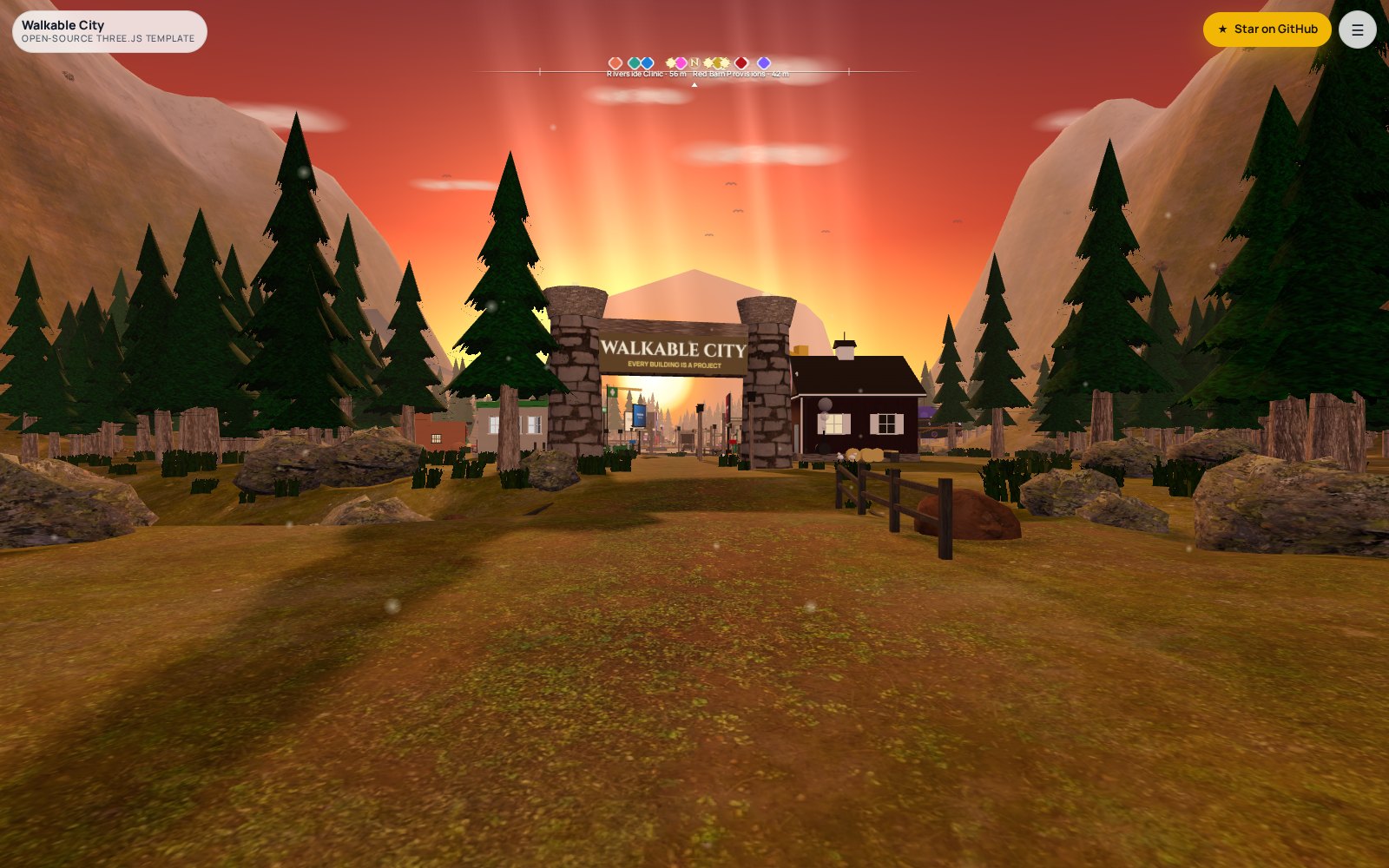
A small mountain valley at sunset where every project in your portfolio is a building, shaped like what it does. Cross the bridge, walk the square, visit a site. One HTML file, no build step, runs on phones. Free to fork.
What you get
A procedural valley
Displaced terrain from an analytic height function, a four-way texture splat (grass, dirt, rock, snow) injected into a standard material, a river with a procedural ripple normal map, a road spline with a bridge placed where it crosses the water, and a cobbled town square.
A forest without a GPU bill
Pines, rocks, grass and bushes as instanced meshes: about 5,700 instances on desktop and 2,000 on phones, with fog hiding the far edge.
Sunset, properly
Sky shader, sun sprite, god-ray planes, soft shadows, lit windows and lamps, birds, dust motes. Tone-mapped so gold and glass read right.
Wayfinding
A Skyrim-style compass bar, a place-name banner, wooden signposts at every junction, and a directory that walks you to any building along the road.
Controls that work on phones
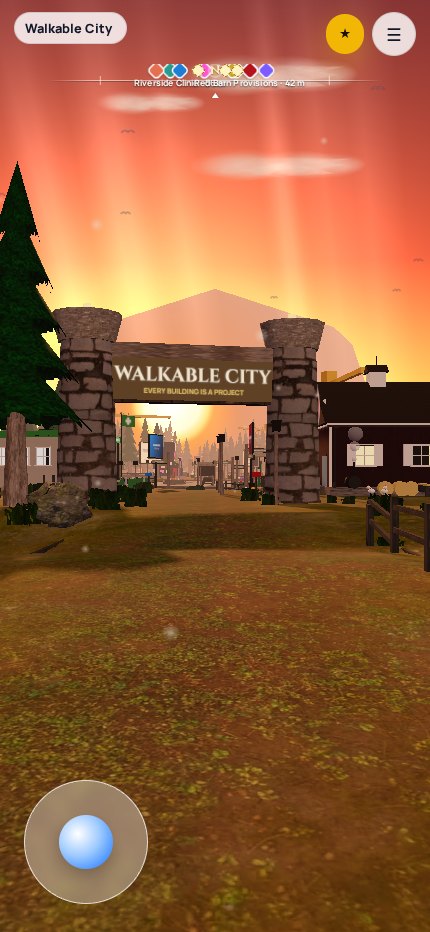
Drag to look, WASD or arrows to walk, Shift to run, Enter at a door to visit. Phones get a joystick, tap-to-walk and a lighter world. Reduced-motion is respected.
Nothing to compile
Open index.html through any static server. The only runtime dependency is the vendored three.js module. Fonts come from Google Fonts and can be removed.
Nine building styles, any project
Each style is a small hand-built kit of boxes, cylinders and canvas textures with its own yard, sign, street-side screen and collision. Assign one per project with a single attribute.
- cabinsnowy log cabin, chimney smoke, string lights
- saucergold art-deco saucer on legs, orbit rings
- chapelglass A-frame on a deck, lake and dock
- marketadobe market, striped awning, textiles
- studiospeaker-stack venue, piano-key steps
- gategolden gate with a turning ring, huts
- clinicwhite clinic, roof cross, waving flag
- barnred barn shop, delivery truck, hay
- arcadearcade cabinet with a live LED wall
Make it yours in two edits
The directory list in the HTML is both the UI and the config. Give each project a style, a colour, a link, and optionally a logo and a screenshot. Then give its key a spot in the town plan.
<li data-site="cabin" data-style="cabin" data-tint="#d62839"
    data-kind="3D storybook website" data-href="https://example.com/"
    data-logo="logos/example.png" data-shot="shots/example.jpg">
  …name, subtitle, one-line description…
</li>

const PLOTS = {
  cabin: { x: 26, z: -16 },             // faces the square
  barn:  { t: .21, side: +1, off: 13 }, // along the road
};
Add a building by adding a list item and a plot. Add a style by writing one function that returns a footprint; the engine adds the yard, sign, screen and collision. Analytics plug in through a single optional callback.
On a phone
Built by a studio that ships 3D websites
Walkable City is the engine behind Client City, the walkable portfolio of The Bailey Perspective, a small studio in Greenville, SC. We design and build fully custom 3D websites, custom CRMs and production web apps for companies under 200 employees, worldwide. If you want a town, a planet, or something nobody has built yet, talk to us. Read how Client City was made in the case study, or see the guide to choosing a 3D web design agency.
Credits and license
Code: MIT, © 2026 John Bailey / The Bailey Perspective. Textures: Poly Haven, CC0. three.js: MIT. If you ship a town with it, open an issue on GitHub with the link; we keep a list of cities.